
Most AI editing tools add buttons.Mergi adds a conversation.
Describe what you want. Mergi understands the project, remembers what you've decided, and gets it done.
Why every other tool gets AI editing wrong:
Every editing tool now has AI features. But bolting AI buttons onto a traditional editor doesn't make it intelligent. Here's what's missing.
Isolated AI Features
A button to remove background. A button to transcribe. A button to upscale. Each one works alone, with zero awareness of the others or your project.
No Project Context
Your AI tools don't know what your project is about, what you've already edited, or what your creative intent is. Every interaction starts from zero.
No Conversation
You can't say 'make the intro more dramatic' because there's no AI that understands what 'the intro' means in your timeline. There's no dialogue — only buttons.
How Chat-Based Editing Works
Describe what you want. Mergi plans the work, coordinates the right capabilities, and delivers results — all through conversation.
Describe
Tell Mergi what you want in plain language — 'Add a slow zoom on the hero shot with dramatic music'
Plan
Mergi breaks your request into tasks and coordinates the right capabilities for each one
Execute
Script analysis, visual planning, cinematography, and rendering work together to produce the result
Refine
Review the result, give feedback conversationally, iterate until it's right
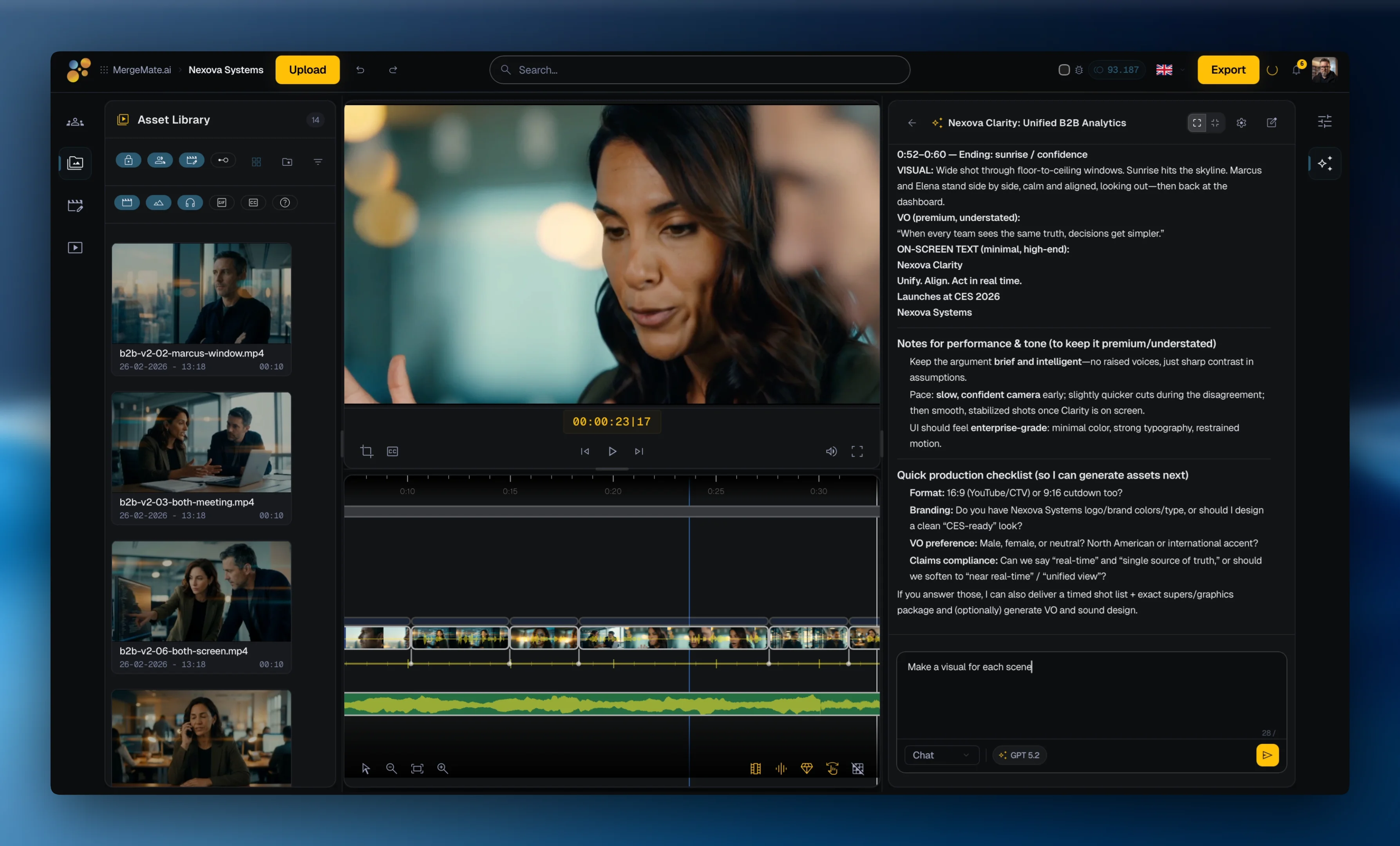
Everything You Need to Edit, In One Place
Timeline Editing
Professional multi-track timeline with clip trimming, transitions, keyframes, and layer management — entirely in your browser.
GenAI Generation
Generate video clips, images, voiceover, sound effects, and music from 35+ active AI models. Mergi picks the right model for each task.
Find Anything by Describing It
Every asset is auto-tagged and indexed with vector embeddings. Search by meaning, not filenames — 'sunset over ocean' finds what you need instantly.
Automatic Transcription
Speech-to-text and subtitle workflows can make transcripts searchable and useful for captions, review, and editing context.
Multi-Format Export
Render to any format, aspect ratio, and resolution. Batch export for multiple platforms — 16:9, 1:1, 9:16 — all from one project.
Version Management
Every edit, every generation, every export is versioned. Compare, revert, branch — non-destructive editing with full history.
What Makes AI Editing Actually Useful
AI editing works when Mergi has memory, context, and knowledge — not just model access.
Mergi Remembers. Everything.
Your preferences carry across all projects. Every decision, asset, and conversation within a project stays in context. Mergi never asks you to repeat yourself.
Full Project Context
Mergi sees your timeline, knows your script, understands your shot list, and tracks your assets. When you say 'extend the B-roll section,' Mergi can use exactly what you mean.
35+ Active Models. Mergi Picks the Right One.
35+ active AI models for video, image, audio, and text. Mergi translates your creative intent into optimized prompts for each model — you choose the best result.
Film Craft Knowledge Built In
Directing techniques, visual grammar, genre conventions, and prompt formulas — all built into how Mergi works. Mergi doesn't guess. It draws on structured cinematographic expertise.
MergeMate is in Early Access. Get in now — shape what it becomes, pay less than everyone who waits.
Join Early AccessMergeMate.ai is built by founders combining 25+ years of professional film production with software architecture for AI orchestration, collaboration, and cloud workflows.
By Thomas Fenkart — 25+ years in professional video production · Last updated: March 2026
Get in early.
Shape what it becomes.
MergeMate is in Early Access. We're not looking for beta testers — we're looking for co-builders. Get in now, shape what it becomes, and pay a lot less than everyone who waits.